Plan and ship code visually
A wiki and visual board of your user stories managed by both AI and humans. Agents work in stages from planning to shipping, keeping you in the loop when you need to be.
Babysitting your coding agents is a pain
You have to keep checking in on them, and they don't always do what you want.
Tests skipped
The tests were not run. Nothing in the loop required them to be.
Silent breakage
Something that worked yesterday is broken, and the only record of the change is the chat.
Corrections lost
The mistake you corrected last week is back, because the correction lived in a session that ended.
Watch your product being built visually
Runs the workflow on its own
Picks the next story, starts your agent on one stage with a brief, runs the check, moves the story, and goes again. From cron, all day.
codeloop run --agent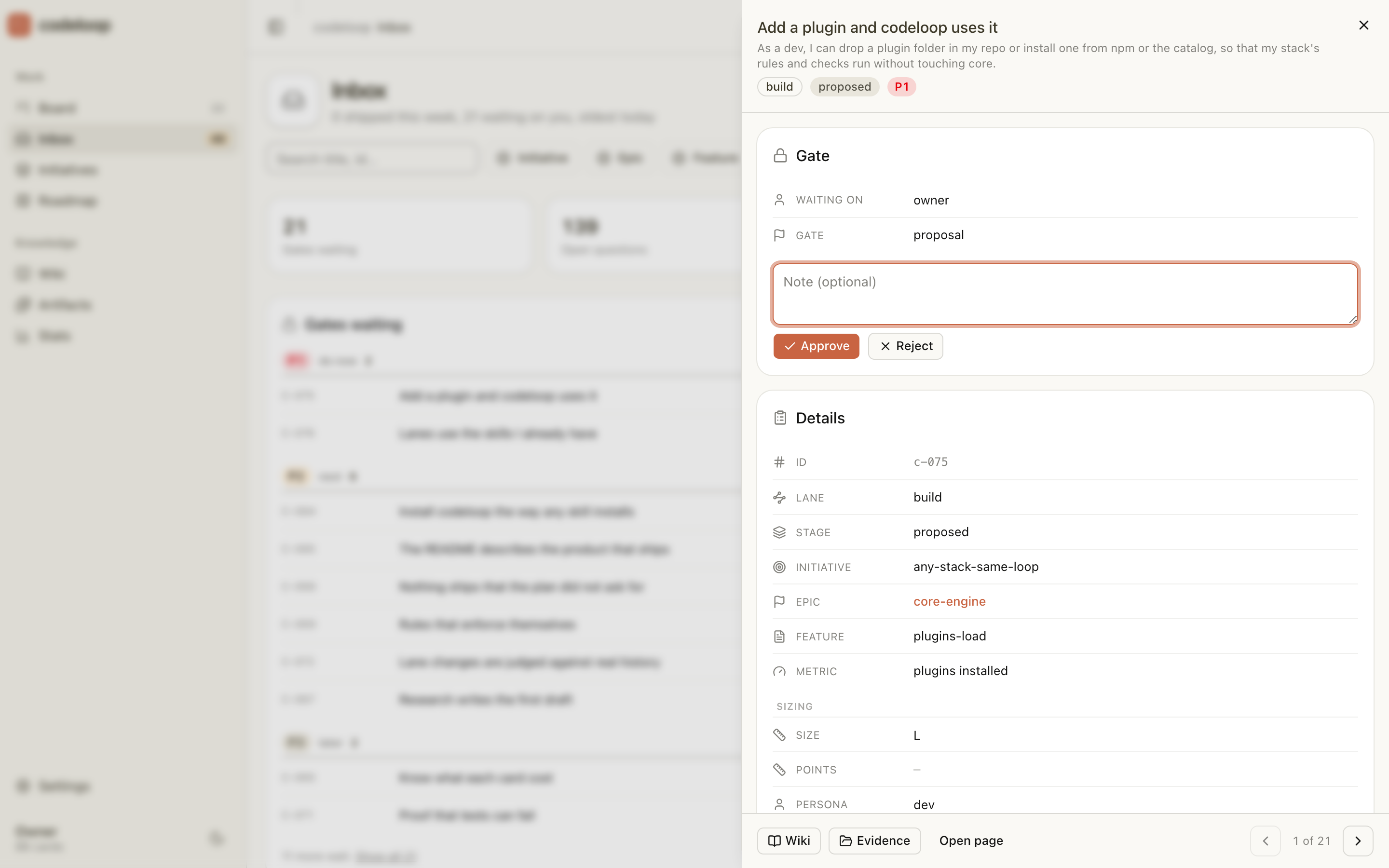
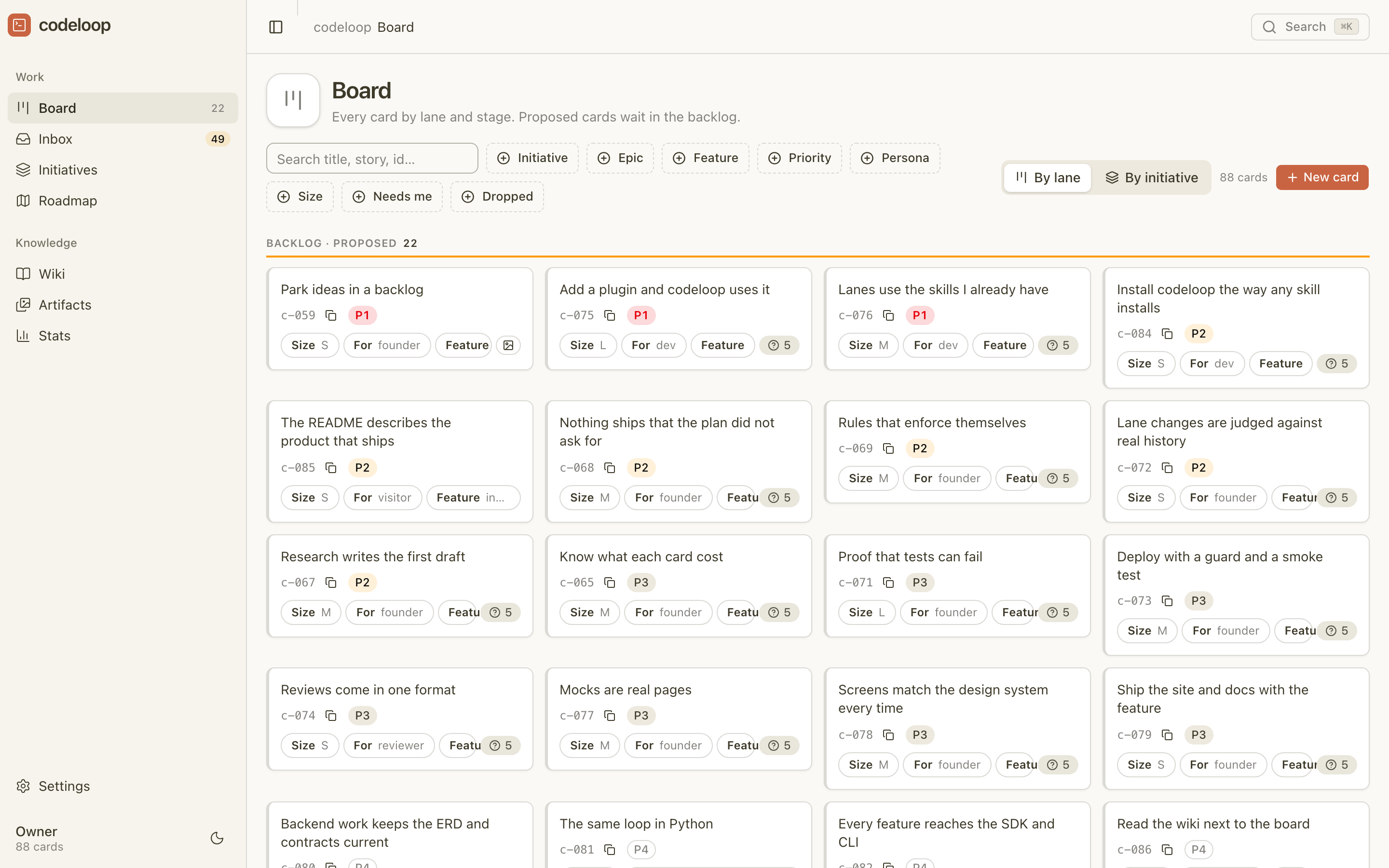
Visual story board
Every user story on one board, by workflow and stage. A story moves only when its check passed, so the board shows what actually happened.
codeloop serveKeeps you in the loop
The steps you mark for a person wait. The inbox lists questions and approvals, oldest first; the agent cannot approve on your behalf.
codeloop inbox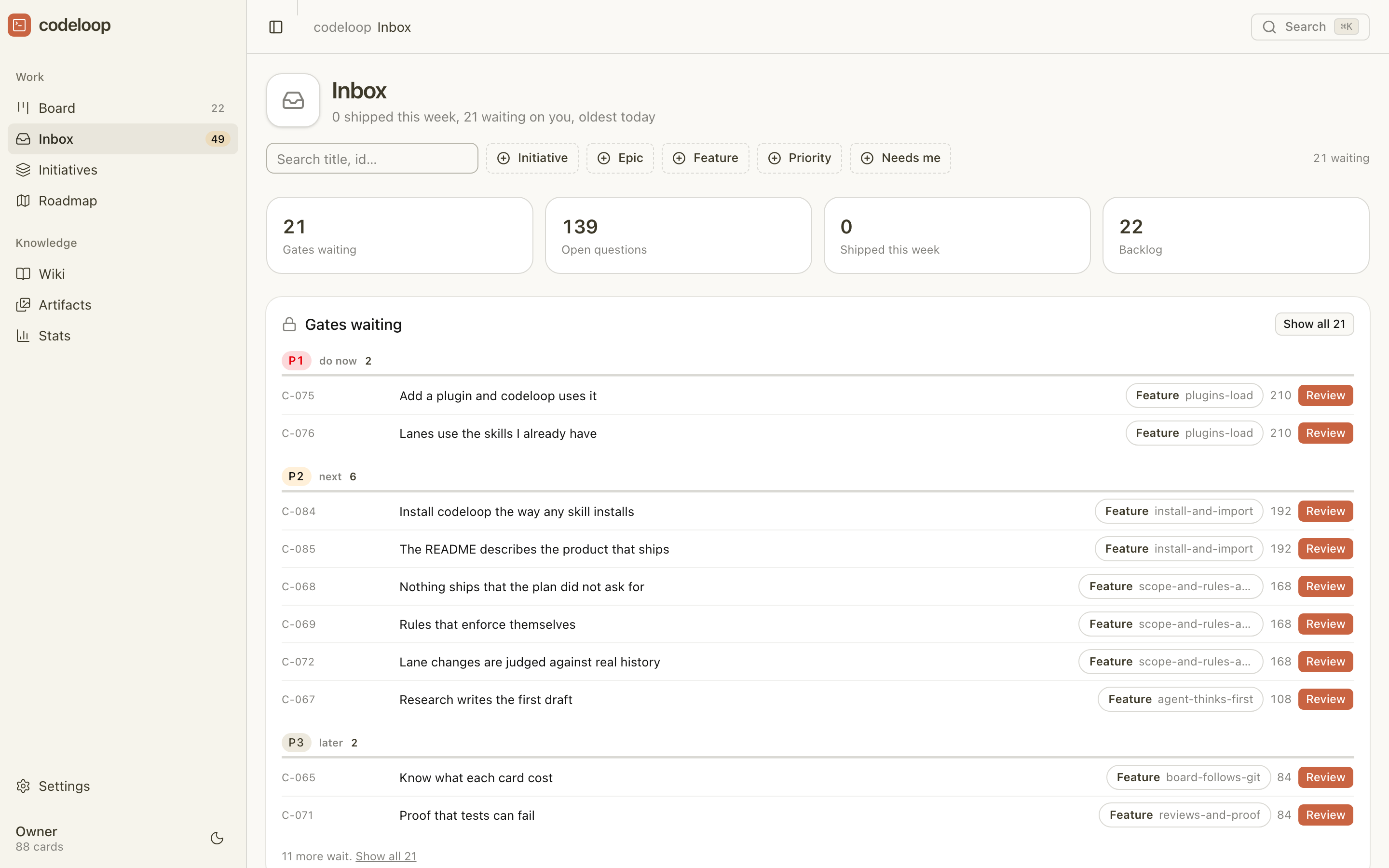
Remembers what went wrong
Agents write what they learned to a wiki in your repo and read the matching pages before the next stage. A lesson captured three times is marked critical.
codeloop wiki capture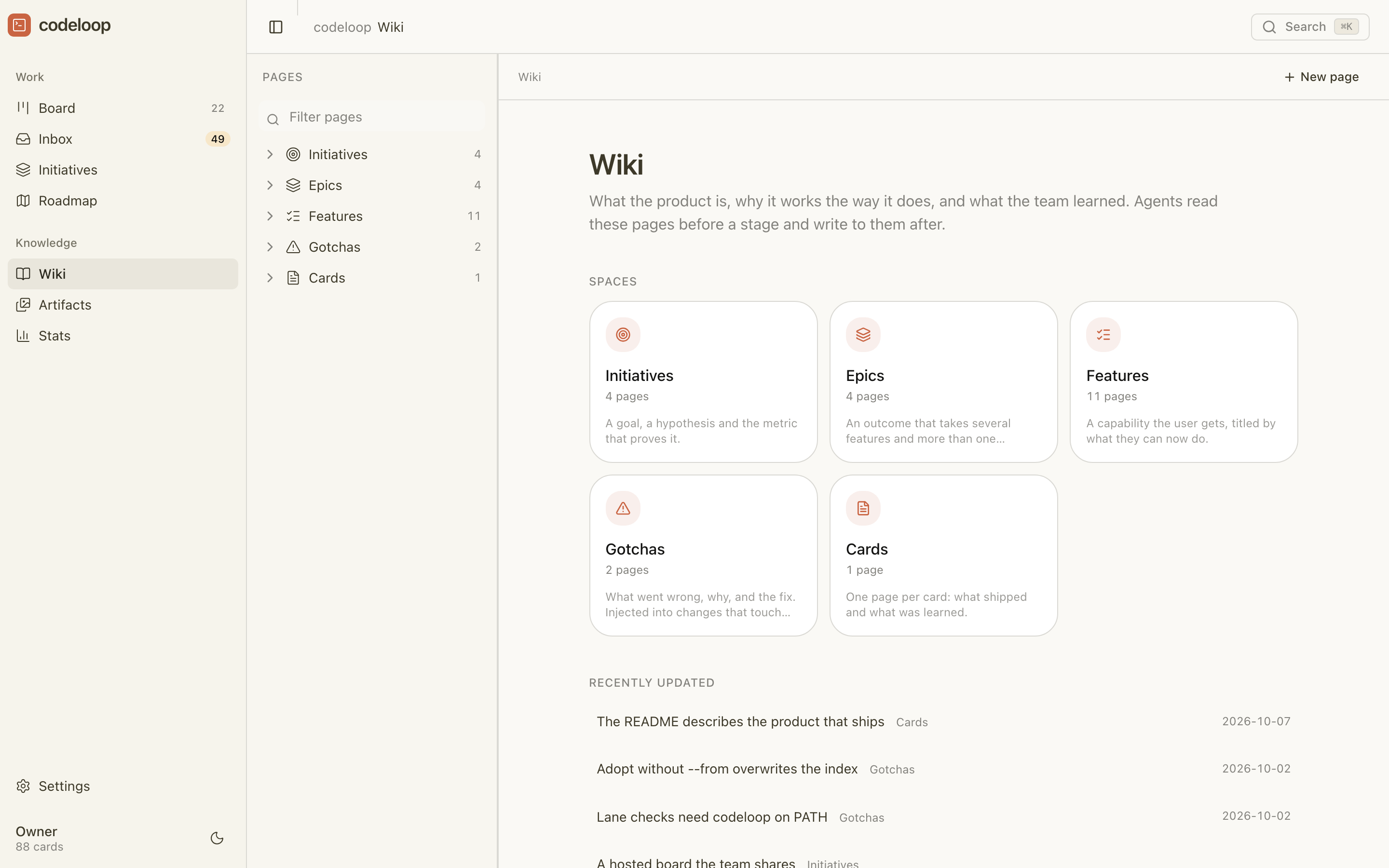
Build your product one story at a time
Enable agents to act at each stage of the build workflow, with checks to ensure the story is ready for the next stage.
- 01AgentYou
Shape
A problem in; an epic of small, ordered stories out
⏸ You approve the plan; stories queue in order
- 02Agent
Research
Reads the code, cites sources, gives a verdict
✓ Check: 3 sources and a verdict
- 03AgentYou
Interview
Agent asks; you answer from the inbox
✓ Check: 3 questions answered
- 04Agent
Mock
Draws each screen with its states
✓ Check: every screen drawn
- 05AgentYou
Spec
Story, acceptance, tasks by layer
⏸ You approve
- 06Agent
Build
API, SDK, UI, one task at a time
✓ Check: tasks done, tests pass
- 07AgentYou
Verify
Runs the use cases, records evidence
⏸ You approve
- 08AgentReviewer
Review
Writes the review; PR opened
⏸ Reviewer approves
- 09You
Release
Staging, then live
⏸ You approve before anything ships
✓ a command decides. ⏸ a person decides; the agent cannot approve. Every move is an event on the story.
Five commands to a running agent
- 1
$ npm install -g @protoboxai/codeloopOne package. Node 20 or newer.
- 2
$ codeloop init --tools claudeWrites the workflows, stage skills and hooks into your repo. Also cursor, codex.
- 3
$ codeloop shape "<your problem>"Turns a problem into an epic of small, ordered stories. You approve the plan on the board.
- 4
$ codeloop serve --openOpens the board. Or add a single user story with the New story button.
- 5
$ codeloop run --agentStarts your agent on the first stage. Watch the story move on the board.
Unattended runs need an agent command in .codeloop/config.yaml, for example claude -p. Prefer the terminal? Your first story, command by command.
What is in the package
Board
Every user story by workflow and stage, moving as checks pass. Proposed stories wait in the backlog.
Inbox
What waits on you, oldest first, with the exact commands to type.
Initiatives and priority
Initiative, epic, feature, story, each with a metric and a goal.
Wiki
Pages agents read before a stage and write after it. A page captured three times is marked critical.
Workflows and approvals
One YAML file per kind of work. A stage is done when its command exits 0. An agent process cannot approve a step that needs a person.
Any host
Claude Code, Cursor, Codex and any MCP client. init writes the skill files and hooks for each.
Spec-first tools and agile-persona tools give the agent a better plan. codeloop also checks each step with a command, keeps a human in the loop at the steps you choose, and shows all of it on a board. Both kinds import: codeloop import speckit, codeloop import bmad. The comparison, row by row.
Who it is for
- 1
- npm package, no server to run
- 0
- data leaves your machine; everything is a file in your repo
Questions
Does it replace my tickets?
No. A story is an entry in .codeloop/cards.json in your repo, and the board reads that file. import speckit and import bmad read another tool’s folders.
Does it need the cloud?
No. Everything runs from files in your repo. The local board server, a cron entry and a cloud copy on Protobox are each optional.
What does an agent run cost me?
Nothing from codeloop. A run starts your own agent command, so the cost is what that host bills. max_runs_per_day caps starts. Cost per story is not reported yet.
What if the agent is wrong?
A stage is done only when its check exits 0. A failed check keeps the story at that stage with the failure logged. An agent process cannot approve a step that needs a person.
Can I remove it?
Yes. Delete .codeloop/, shape/, specs/, usecases/ and evidence/, the command and skill files init wrote under .claude/, .cursor/ or .agents/, .mcp.json, and the marked codeloop blocks in CLAUDE.md, AGENTS.md and .github/copilot-instructions.md. Nothing leaves your machine unless you set up the Protobox sync.
Which hosts?
Claude Code, Cursor and Codex, and any MCP client through codeloop mcp.
Install
One npm package. It writes files into your repo and nothing leaves your machine.